Review before
you install.
Supply Chain Guard scans npm packages and VS Code extensions before they touch your machine. It catches lifecycle scripts, credential reads, suspicious payloads, and Socket signals, all locally.
- Catches malicious scripts and hidden actions
- Works with bun, npm, yarn, pnpm, and VS Code
- Fast, local, no telemetry
Lifecycle scripts
preinstall, install, postinstall, prepare
Remote downloads
curl, wget, fetch, and friends
File system access
reads, writes, deletes, sensitive paths
Network activity
connections to external hosts
Policy & licenses
licenses, CVEs, allow / block rules
Socket signal
optional socket.dev package score
Also: VS Code extension internals (activation events, entry points, scripts, dependencies) and
optional Codex or PI review that has to end with SCGUARD_DECISION: approve.
A small loop, all on disk.
The install does not start until the scan finishes and approval is explicit. Nothing leaves your machine unless you ask for the Socket lookup.
-
Stage
Resolve the tarball or
.vsix, download to.scguard/cache, extract to.scguard/work. -
Scan
Run the heuristics over the staged files, optionally query Socket, score the risk.
-
Decide
Read the JSON / Markdown report or hand it to Codex or PI. Approve to continue, anything else stops.

See it in action.
A few sub-second commands you run from where you already are.
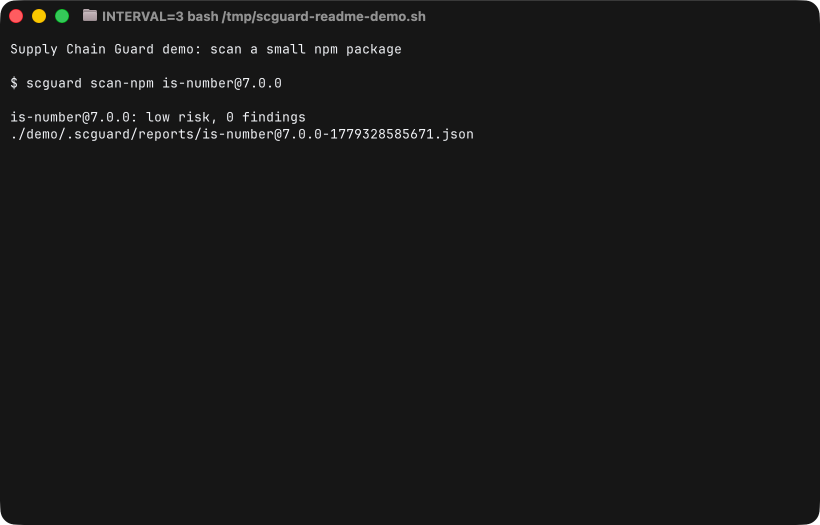
$ scguard install <pkg> --agent codex
Gate, then install with optional agent review.
$ scguard scan-vsix <path.vsix>
Scan a VS Code extension from a local file.
$ scguard doctor
Sanity-check Bun, Git, PATH, hook, Socket, agents.
$ scguard shell-hook
Route bun, npm, pnpm, yarn through the guard.
Advanced commands
scan-npm, scan-stage, guard, agent-prompt,
agent-review, self-test, config,
clean [--reports | --cache | --work | --all].
Make installs boring again.
Add the gate and protect your team.